
Client Configurations: Configure Client Liaisons
- Client Liaisons are program managers who coordinate a client’s services/meal delivery.
- Client Liaisons are added/managed from Fundly Connect; they are volunteers who have the Liaison tag added to their record.
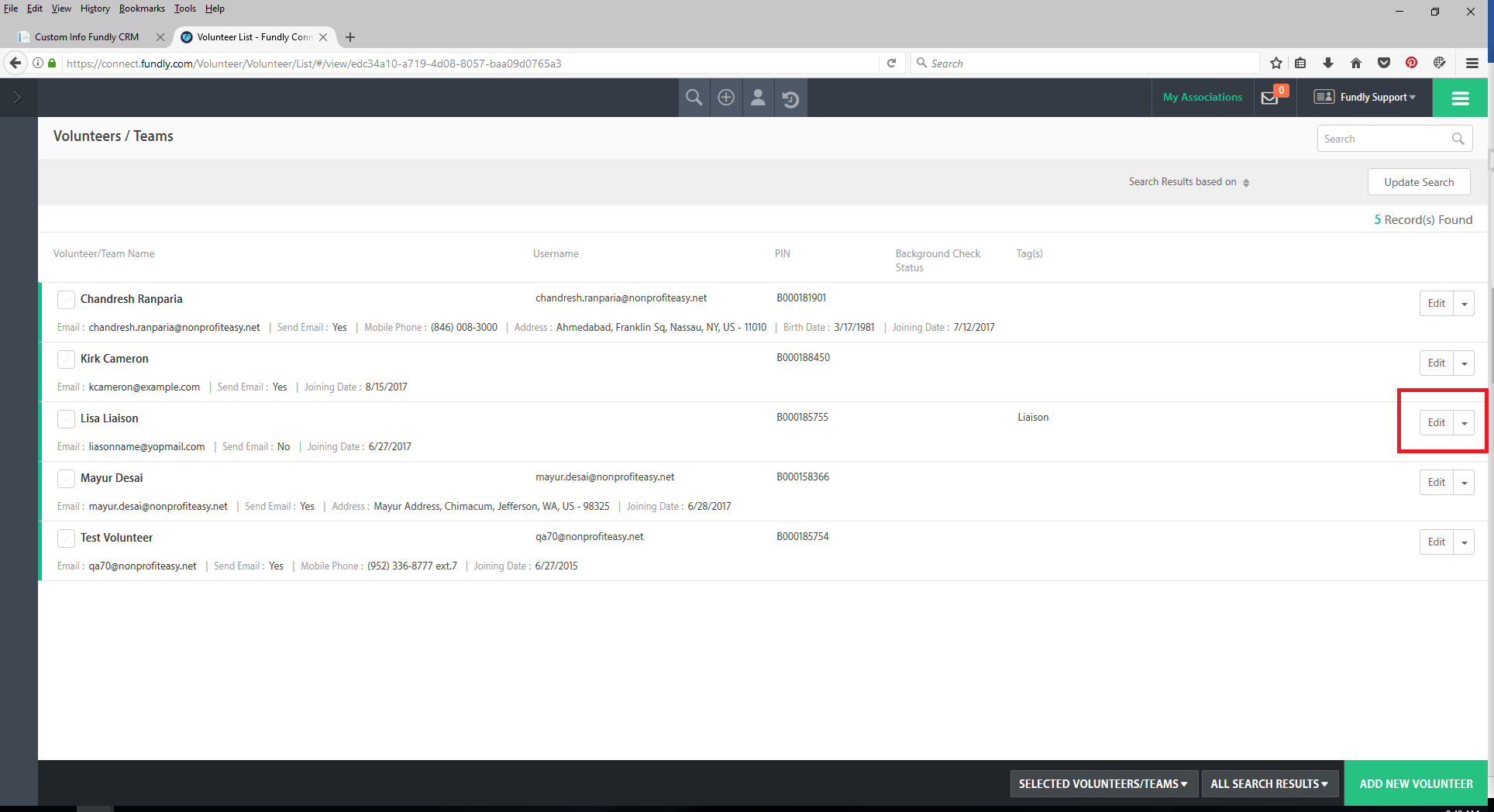
- To begin, log into your Connect account. Add or Edit the volunteer’s record.
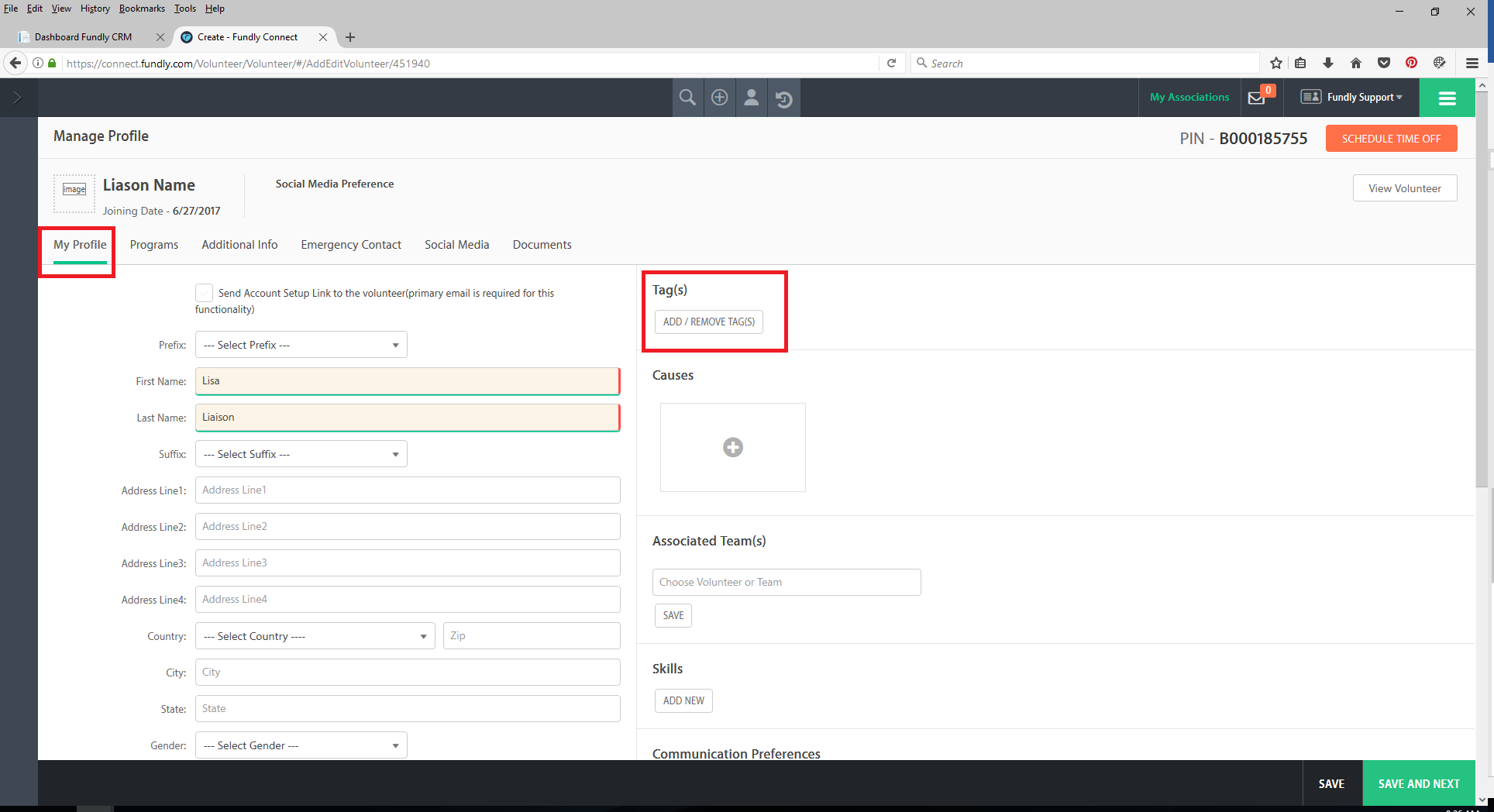
- Under Tag(s), click the Add/Remove Tag(s)
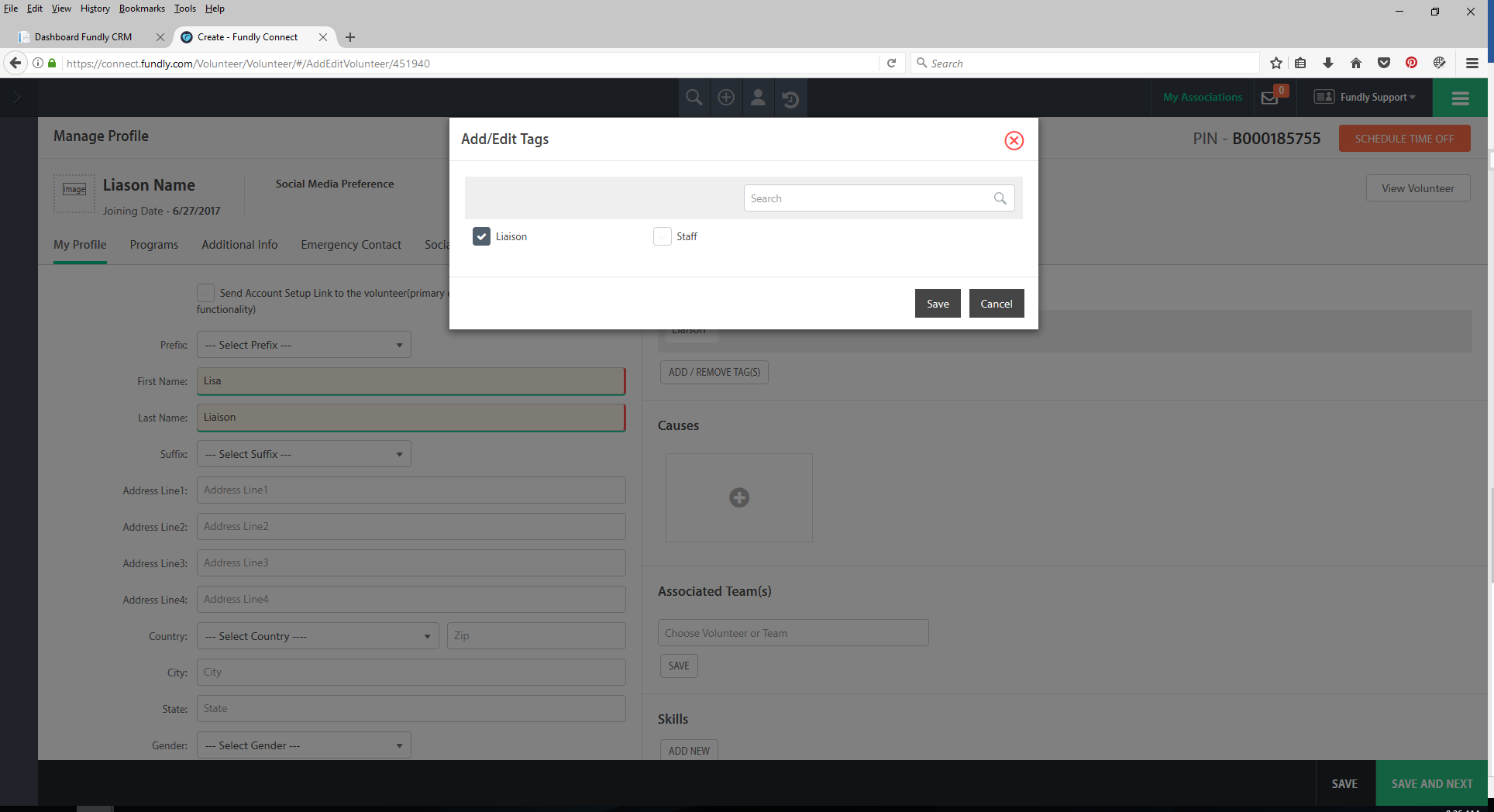
- On the resulting pop up box, select the check box next to Liaison, then click Add.
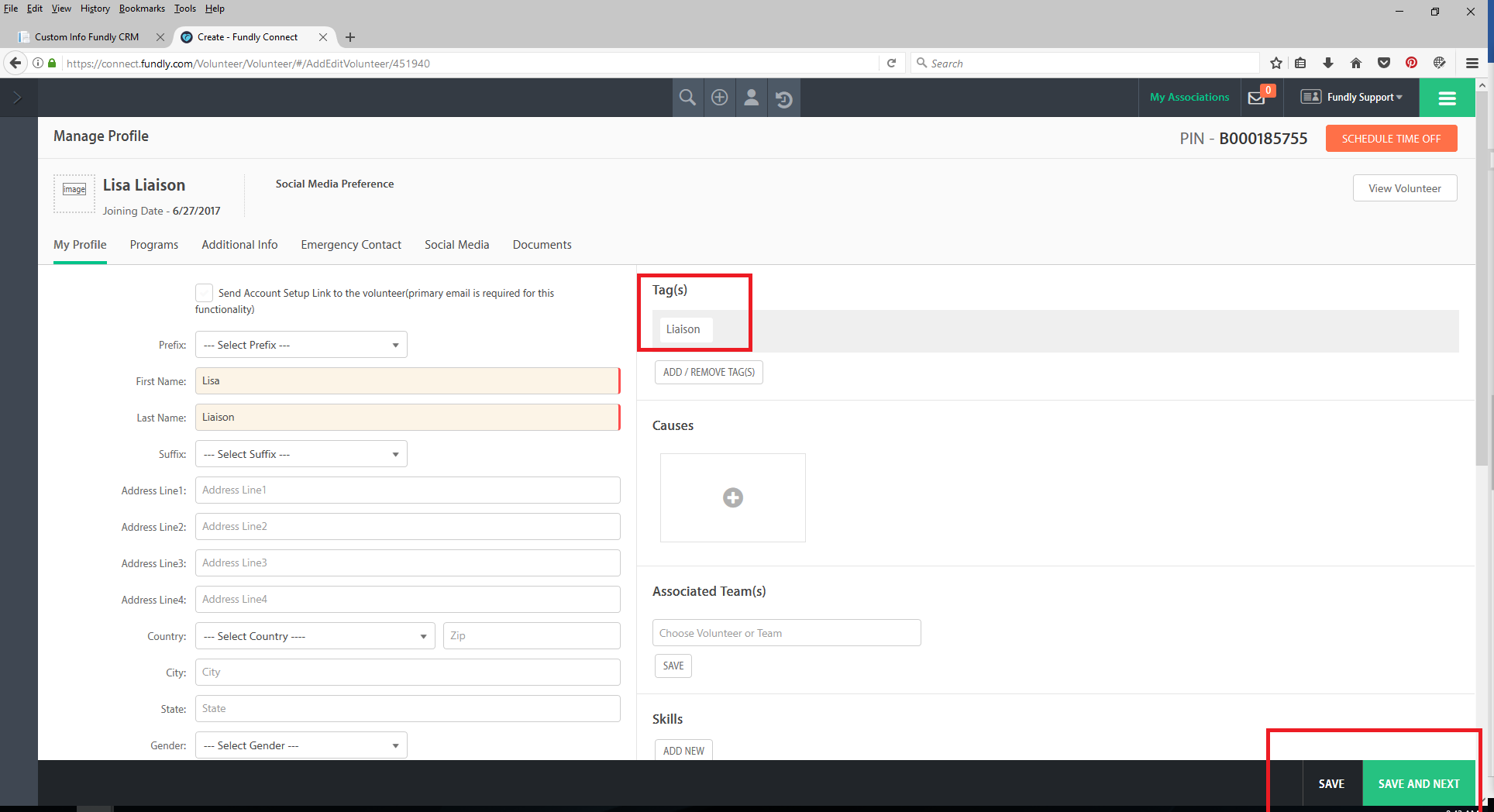
- Save the volunteer record by selecting Save or Save and Next in the lower right hand corner to save the changes.
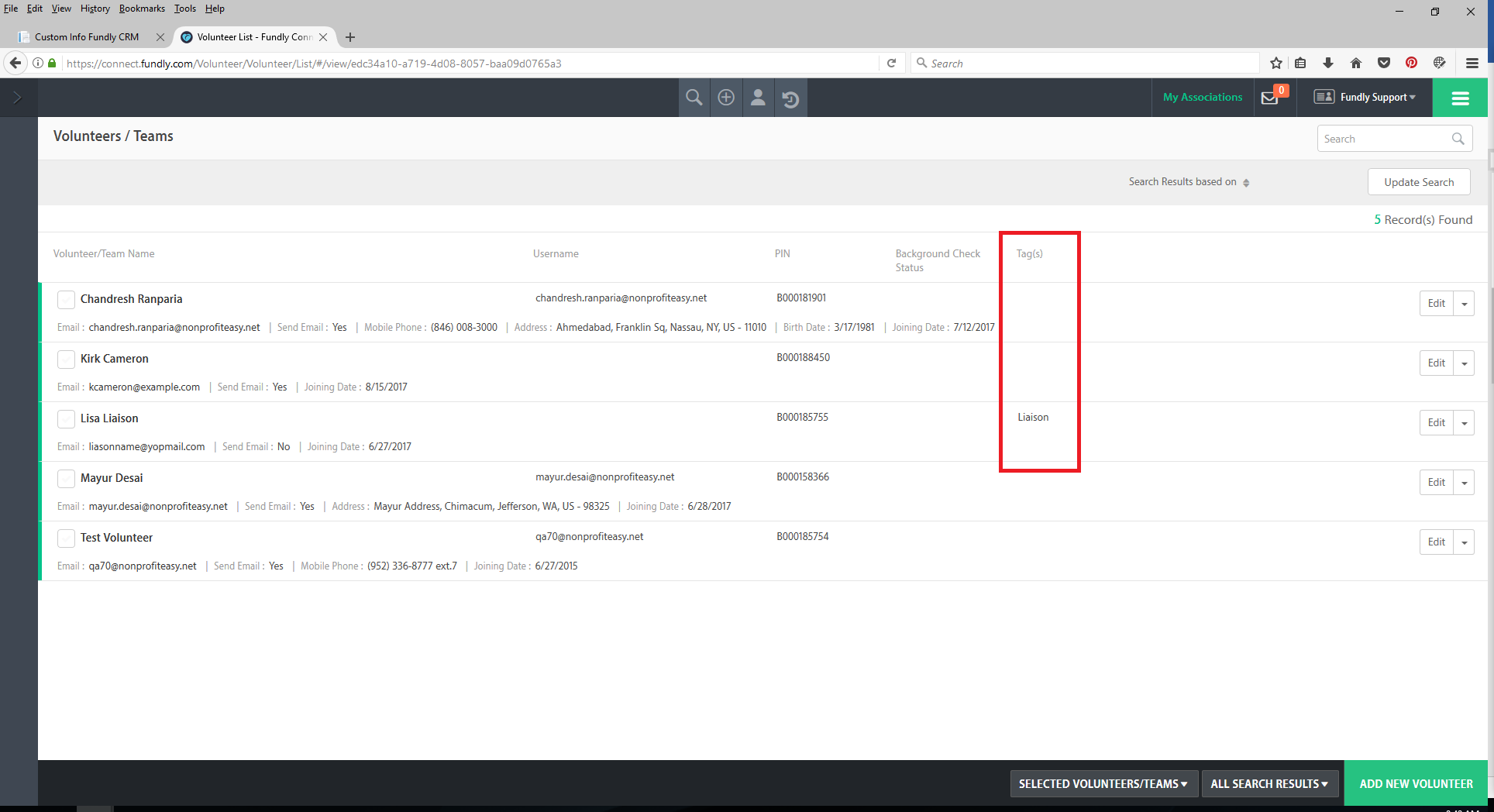
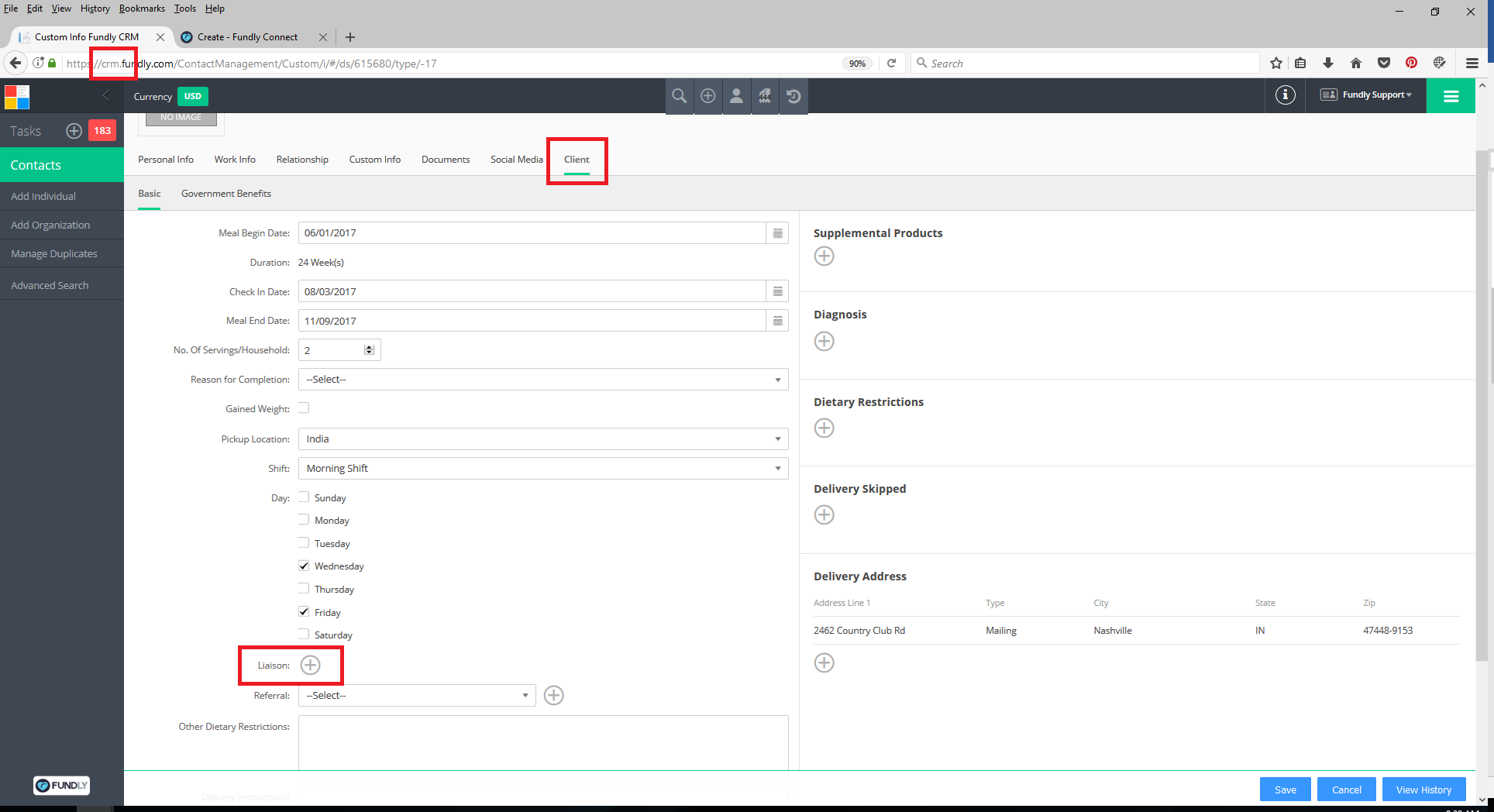
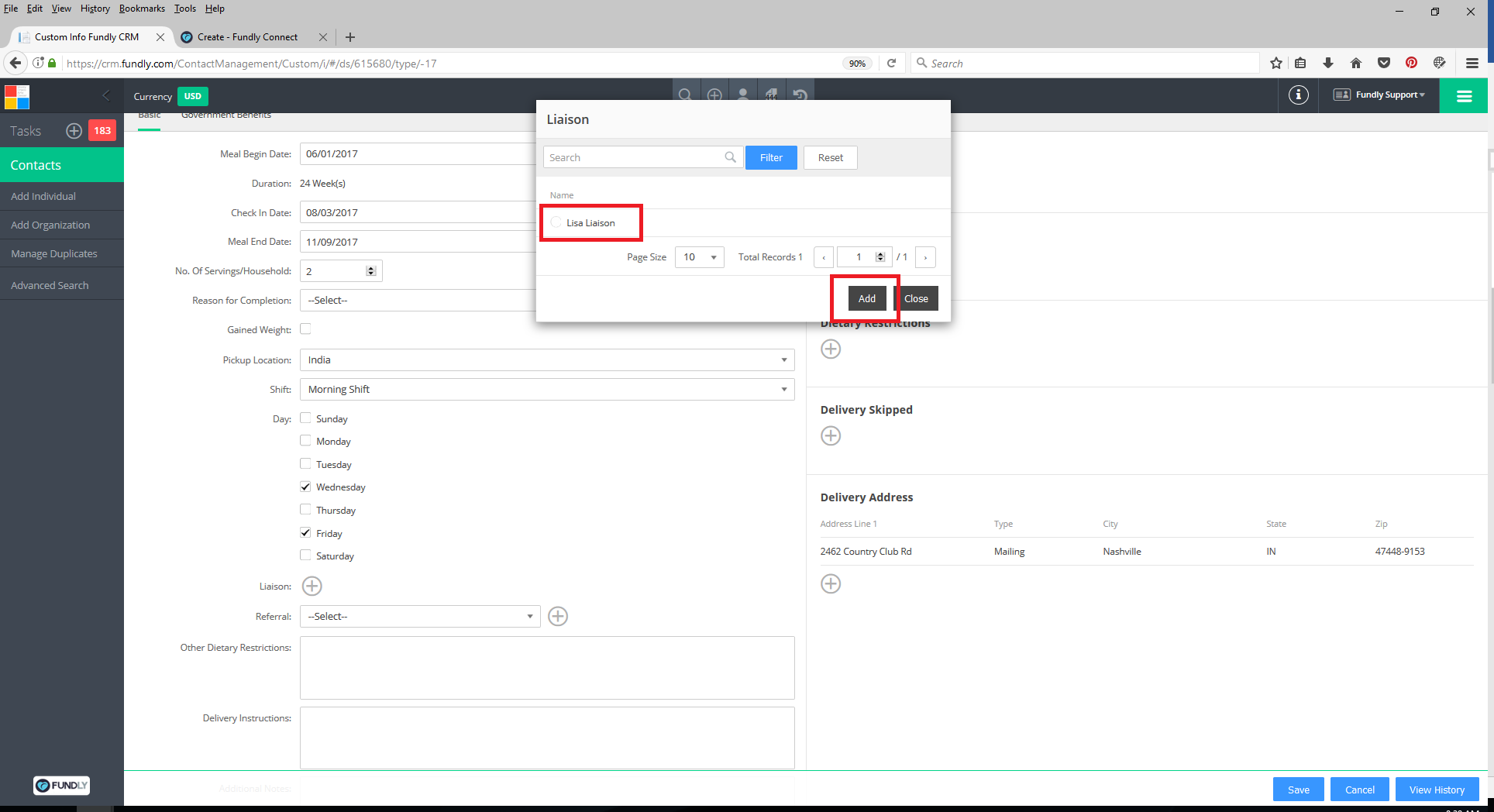
- The Liaison will now show in the Client Liaison drop down on client records in the CRM.
Comments
0 comments
Article is closed for comments.